
Digital Visiting Card for Business Owners in Bangladesh
Business introductions often happen quickly. You may meet a prospective client at an office, speak with a supplier, attend a networking event, or introduce your company during a sales call. In those moments, sharing accurate contact information matters.
A Digital Visiting Card gives business owners and service providers in Bangladesh a modern way to share their professional details. Instead of relying only on a printed paper card, you can tap an NFC-enabled card on a compatible phone or let someone scan its QR code to open your digital profile.
DVC provides an NFC-enabled and QR-code-printed smart visiting card designed for personal and business contact sharing. It can be useful for proprietors, directors, managing directors, chairmen, consultants, sales professionals, and service providers who want a simple way to present their business information.
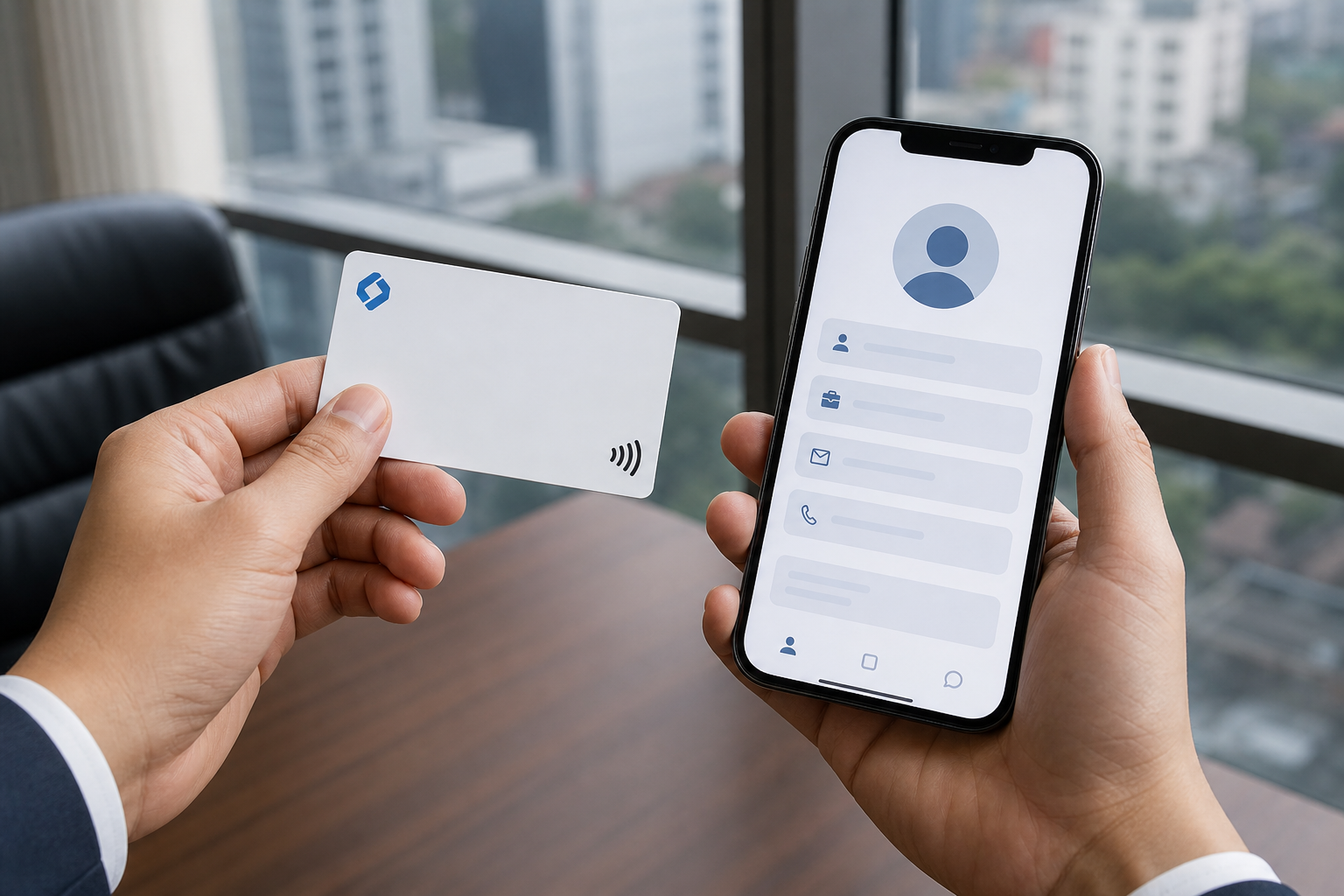
Demonstration visual: an NFC and QR code Digital Visiting Card by DVC being tapped against a smartphone.
Digital Visiting Card for Modern Business Networking
Traditional visiting cards still have a place in many business settings. They are familiar, easy to hand over, and do not require a phone to read the printed details. However, a paper card has limited space and becomes outdated when a phone number, designation, office address, website, or service list changes.
A digital business card Bangladesh professionals can carry in a wallet provides another option. The physical card acts as a gateway to a digital business profile. When the profile opens on the recipient’s phone, they can view the details you have chosen to include.
For a business owner, this can make introductions more practical. Rather than asking someone to type a number manually, you can share a profile containing your contact and company information in one place.
What Is a Digital Visiting Card?
A Digital Visiting Card is a smart business or visiting card with NFC technology and a printed QR code. DVC cards are made from PVC material and are intended to be used as a digital alternative or complement to printed paper visiting cards.
The card contains an NFC chip and displays a QR code. Both methods are designed to open the card owner’s digital profile:
- NFC tap: The card is brought close to a compatible smartphone.
- QR code scan: The recipient scans the printed QR code with a supported phone camera or QR scanner.
The digital profile can present business contact information beyond what usually fits on a small printed card. The exact content depends on the selected profile setup.
How an NFC and QR Code Visiting Card Works
Using an NFC digital visiting card is straightforward:
- Unlock the recipient’s smartphone.
- Hold or tap the NFC business card near the appropriate area of a compatible phone.
- The phone may show a notification or prompt to open the profile link.
- Once opened, the recipient can view your digital business profile and save relevant contact details if they choose.
The QR code visiting card provides a second sharing method. A recipient can point a compatible camera at the QR code or use a QR scanning function available on their device. This is particularly useful when NFC is not supported or is turned off.
NFC functionality depends on the recipient’s phone model, operating system, and device settings. On some phones, NFC may need to be enabled before tapping the card. QR scanning also varies by phone camera, operating system, and browser, so the experience may not be identical on every device.
Information You Can Share Through Your Digital Profile
A business contact sharing card should make it easier for people to understand who you are and how to reach you. Depending on your profile setup, your Digital Visiting Card profile may include:
- Full name
- Professional designation
- Company or business name
- Mobile number
- Email address
- Website link
- Office or business location
- Social media or professional profile links
- A short business introduction
- Service information
For example, a managing director may include company contact details, the office location, website, and LinkedIn profile. A service provider may add a short description of services, a direct phone number, and links that help prospective customers make contact.
Keep the profile focused. Include details that help a client, supplier, or business contact take the next step without overwhelming them with unnecessary information.
Why Business Owners and Service Providers Use Digital Visiting Cards
A digital visiting card for business owner use can fit many everyday situations in Bangladesh. It is not limited to formal events; it can be used whenever professional details need to be shared.
Common examples include:
- Meeting clients at an office or project location
- Introducing your company to a new supplier or partner
- Attending business networking events
- Making sales calls and follow-up visits
- Sharing contact information at exhibitions or trade events
- Meeting customers at a showroom, restaurant, clinic, or service point
- Providing a company representative’s contact details during corporate introductions
For service providers, a digital card can be especially useful when people may need to contact you later. After opening the profile, recipients can review the information again instead of searching through a stack of paper cards.
Digital Visiting Card vs Printed Paper Visiting Card
Both formats can be useful. The right choice depends on your business, audience, and how you prefer to share information.
| Consideration | Printed paper visiting card | Digital Visiting Card |
|---|---|---|
| Information space | Usually limited to the printed card area | Can link to a digital profile with more selected details |
| Updating details | Normally requires a new print run after changes | Profile information can be edited online after setup |
| Sharing method | Handed directly to another person | Shared by NFC tap or QR code scan, with the physical card still handed over if desired |
| Recipient access | Details can be read immediately from the card | The dynamic profile needs an internet connection to open |
| Physical format | Often paper-based | DVC describes its smart card as PVC with NFC and a printed QR code |
A printed card may be preferable when the recipient has no smartphone access or internet connection. A smart visiting card may be useful when you want to direct people to an updatable digital profile. Some businesses may choose to use both.
Can You Update a Digital Visiting Card Profile?
Yes. DVC states that profile information can be added, edited, updated, or deleted. This is a key difference between a dynamic digital business card profile and information printed permanently on paper.
If your business changes its phone number, email address, designation, website, location, or service information, you can update the profile instead of relying only on old printed details. Before ordering, confirm how profile access and editing will be managed for your account.
Because the profile information is dynamic and opens online, the recipient needs an internet connection to access it. The NFC chip or QR code directs the phone to the profile, but the profile itself requires connectivity to load.
NFC Compatibility and QR Code Backup
NFC is a convenient contactless method, but it is important to set realistic expectations. Not every phone supports NFC, and some compatible phones have NFC disabled in settings.
The QR code is the practical backup for an NFC card Bangladesh users can share with different types of smartphones. If tapping does not work, the recipient can try scanning the QR code.
Before an important meeting or event, it is sensible to test your card with your own phone and, if possible, another phone type. This helps you become familiar with the best placement for tapping and the QR scanning process.
Choosing a Digital Visiting Card for Your Business
Before you buy a Digital Visiting Card, consider how it will represent your business and how easily you can maintain the information behind it. Review these points:
- Card material: Check whether the card uses a durable material such as PVC.
- NFC and QR availability: A card with both options gives recipients two ways to access the profile.
- Profile editing: Confirm that you can update essential information when your business details change.
- Profile content: Decide what contact details, company information, website links, and social links should appear.
- Design confirmation: Make sure the name, designation, phone number, and visual design are correct before final approval.
- Corporate requirements: If you need cards for several employees, discuss a corporate digital visiting card plan and consistent company branding.
DVC offers Premium Digital Visiting Card and Standard Digital Visiting Card options. Business owners can also contact DVC about personal or corporate requirements and explore the digital profile demo before making a decision.
Order Your DVC Digital Visiting Card
A Digital Visiting Card can help you share professional information through a single smart card while keeping your profile ready for updates. Whether you run a company, provide professional services, lead a team, or meet clients regularly, NFC and QR code sharing can add a practical option to your business networking process.
Review the available DVC card options, prepare the information you want to display, and confirm your design details before placing an order.
Frequently Asked Questions
What is a Digital Visiting Card?
A Digital Visiting Card is a smart visiting card that uses NFC technology and a printed QR code to open a digital profile. The profile can contain selected personal and business contact information.
How does an NFC digital visiting card work?
The card contains an NFC chip. When it is held near a compatible smartphone with NFC enabled, the phone may show a prompt or notification that opens the card owner’s digital profile.
Can a digital visiting card work on phones without NFC?
Yes, the printed QR code provides an alternative method. A recipient can scan the QR code using a supported phone camera or QR scanning feature to access the profile.
Does a recipient need an app to scan a QR code visiting card?
Many current smartphones can scan QR codes through the built-in camera or a system feature, so a dedicated app may not be necessary. However, QR scanning behaviour differs by device, operating system, camera settings, and browser. A QR scanner app may be needed on some devices.
Can I update my phone number or business details after receiving the card?
DVC states that card profile information can be added, edited, updated, or deleted. Confirm the profile editing process when ordering, especially if the card will be used for a company or multiple employees.
Does a digital visiting card require an internet connection?
Yes. The profile is dynamic and requires an internet connection to open and display the current information.
Can a company order digital visiting cards for multiple employees?
Yes. DVC mentions corporate requirements and corporate plans. Companies can contact DVC to discuss cards for employees, business roles, and consistent brand presentation.
A DVC NFC digital visiting card gives you a direct, professional way to share your business profile through a tap or scan. Order Now